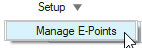
Delete Connection
Delete connection point(s) along an E-Line.
View new features for HyperWorks 2022.
Learn the basics and discover the workspace.
Discover HyperWorks functionality with interactive tutorials.
Create, open, import, and save models.
Set up sessions and create report templates.
Solver interfaces supported in HyperWorks.
A solver interface is made up of a template and a FE-input reader.
Create, organize and manage parts and subsystems.
Create and edit 2D parametric sketch geometry.
Create, edit, and cleanup geometry.
Different types of mesh you can create in HyperWorks.
Create and edit 0D, 1D, 2D, and 3D elements.
Rapidly change the shape of the FE mesh without severely sacrificing the mesh quality.
Create connections between parts of your model.
Create a reduced ordered model to facilitate optimization at the concept phase.
HyperMesh composites modeling.
Validate the model built before running solver analysis.
Tools used for crash and safety analysis.
Airbag solutions offer airbag folder utilities and exports a resulting airbag in a Radioss deck.
Workflow to support topology optimization model build and setup.
Multi-disciplinary design exploration and optimization tools.
Essential utility tools developed using HyperWorks-Tcl.
Import an aeroelastic finite element model with Nastran Bulk Data format.
Framework to plug certification methods to assess margin of safety from the model and result information.
Streamline the creation of properties and 1D stiffener mesh using the info read from Marine CAD tools.
Create evaluation lines, evaluate them, and optimize the interfaces to eliminate squeak and rattle issues.
Technology and problem evaluation approaches used in SnRD.
Explore the SnRD Pre-Processing user interface.
Use Setup Group to setup evaluation lines and define loadcases.
This tool is used to import all data required for the Squeak and Rattle Analysis preparation.
Use the Define Interface tool to create, import, and edit geometric lines.
Edit geometric lines.
Use the Create E-Lines tool to create evaluation lines at component interfaces.
Use the Manage E-Line tool to review and manage E-Lines.
Setup loadcases to solve and extract results.
Use a Variability Study to examine how squeak and rattle risks are affected by manufacturing variations.
Use Manage E-Points to modify local system collectors and evaluation points.
Rotate a local coordinate system on an evaluation point.
Delete connection point(s) along an E-Line.
Evaluate Loadcase and export solver deck.
Explore SnRD Post Processing User Interface.
Use of Altair Ziegler SnR Material Database.
A Packaged Solution Offering (PSO) that provides a flexible and customizable platform for building and analyzing geomechanical models.
Panels contains pre-processing and post-processing tools.
Results data can be post-processed using both HyperMesh and HyperView.
HyperGraph is a data analysis and plotting tool with interfaces to many file formats.
MotionView is a general pre-processor for Multibody Dynamics.
MediaView plays video files, displays static images, tracks objects, and measures distances.
TextView math scripts reference vector data from HyperGraph windows to automate data processing and data summary.
TableView creates an Excel-like spreadsheet in HyperWorks.
Create, define, and export reports.
Create evaluation lines, evaluate them, and optimize the interfaces to eliminate squeak and rattle issues.
Explore the SnRD Pre-Processing user interface.
Use Setup Group to setup evaluation lines and define loadcases.
Use Manage E-Points to modify local system collectors and evaluation points.
Delete connection point(s) along an E-Line.
Figure 1. (c) 2021. Altair Engineering Inc. All Rights Reserved.