Designate Casting Part
Select the casting parts and define the material, alloy, and temperature.
Note: You need to select a casting part before performing any other
operation.
-
On the Cast Part icon, click Designate
Casting Part.

-
Click one or more parts.
The selected parts are displayed in red.
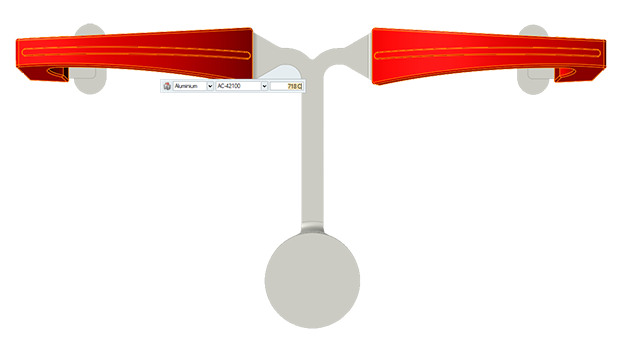
-
Use the microdialog options to define the material, alloy, and
temperature.
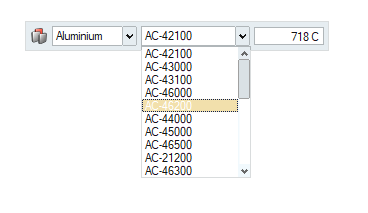
Microdialog Options
Define the material, alloy, and temperature of the casting parts.
| Option | Description | |
|---|---|---|
| Material Viewer |
 |
Click to examine the material's
Thermal, Phase-Change, and
Fluid properties. |
| Material |
 |
Select from common ferrous and non-ferrous materials. |
| Alloy |
 |
Select from common alloys of the chosen material. |
| Temperature |
 |
Enter the temperature of the material. |
Materials Database
Select a material and an alloy for the casting parts and examine its Thermal, Phase-Change, and Fluid properties.
| Option | Description | |
|---|---|---|
| Material Group |
|
Select from common ferrous and non-ferrous materials. |
| Material Name |
|
Select from common alloys of the chosen material. |
| Temperature |
|
Enter the temperature of the material. |
| Property | Description |
|---|---|
| Thermal |
|
| Phase-Change |
|
| Fluid |
|
Create Material
Customize a material and add it to My Materials.
- Select an alloy to customize.
- Click Edit.
- Edit the Thermal, Fluid, or Phase-Change properties.
- Enter a New Material Name and click Save.
- Click Select to use this material.