RD-T: 3030 Buckling of a Tube Using Half Tube Mesh
This tutorial simulates buckling of a tube using half tube mesh with symmetric boundary conditions.
The figure illustrates the structural model used for this tutorial: a half tube with
a rectangular section (38.1 x 25.4 mm) and length of 203 mm.
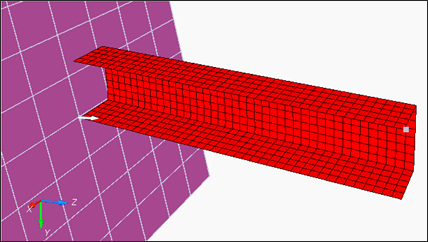
Figure 1. Model
Figure 1. Model
The model description is as follows:
- UNITS: Length (mm), Time (ms), Mass (kg), Force (kN) and Stress (GPa)
- Simulation time: Engine [0 - 10 ms]
- The tube thickness is 0.914 mm.
- An imposed velocity of 13.3 mm/ms (~30 MPH) is applied to the right end of the tube
- Elasto plastic material using Johnson-Cook law /MAT/PLAS_JOHNS (STEEL).
[Rho_Initial] Initial density = 7.85e-6 Kg/mm3
[E] Young's modulus = 210 GPa
[nu] Poisson coefficient = 0.3
[a] Yield Stress = 0.206 GPa
[b] Hardening Parameter = 0.450 GPa
[n] Hardening Exponent = 0.5
Model Files
Refer to Access the Model Files to download the required model file(s).
Input file for this tutorial: BOXTUBE_0000.rad
Start HyperCrash
- Open HyperCrash.
- Set the User profile to RadiossV2021 and the Unit system to kN mm ms.kg.
- Set User Interface style as New.
- Set your working directory to where the downloaded file is located.
- Click Run.
- Click .
- In the input window, select BOXTUBE_0000.rad.
- Click OK.
Create and Assign a Material
-
In the Material tab, right-click and choose .
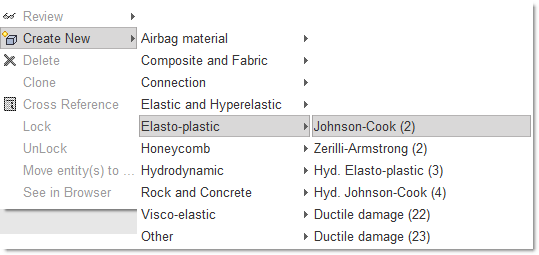
Figure 2. -
Enter all the material data, as shown.
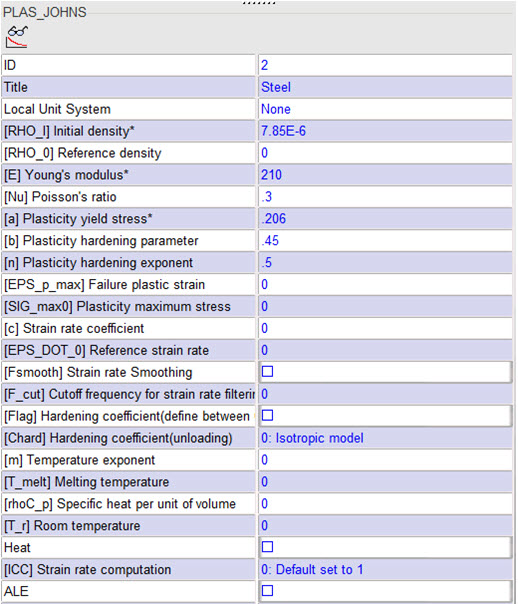
Figure 3. -
Select Include picked parts
 and select boxtube
in the modeling window.
and select boxtube
in the modeling window.
Create and Assign a Property
-
In the Property tab, right-click and select .
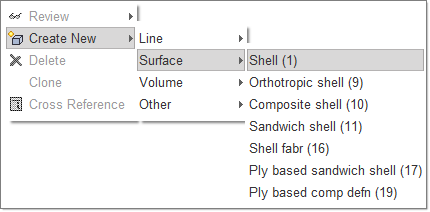
Figure 4. -
For Shell thickness, enter 0.914.
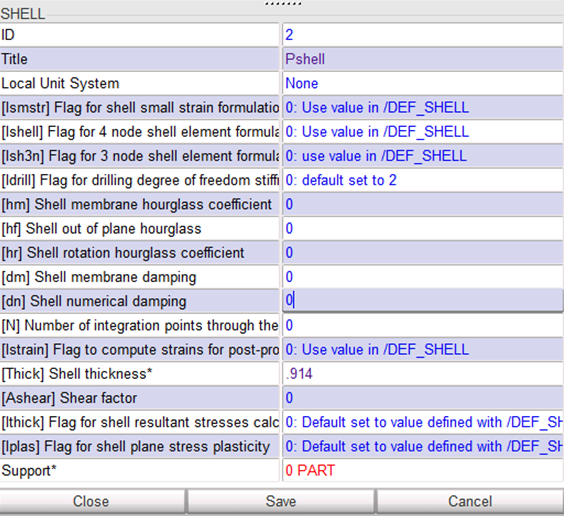
Figure 5. -
Select Include picked parts
and select boxtube
in the modeling window.
Define the Rigid Body
-
Right-click in the modeling window and select
Add nodes by box selection icon
 to select the nodes in the modeling window, as shown below:
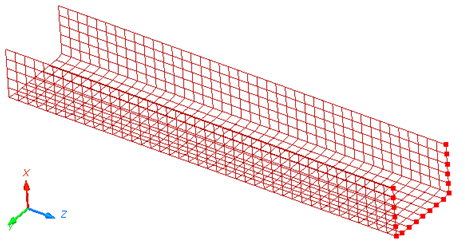
Figure 6. -
Press Enter or click Save to
validate.
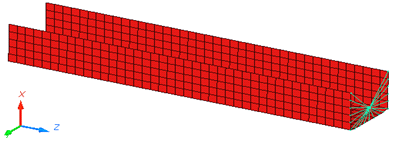
Figure 7.Note: For the remainder of the tutorial, you need to have the ID of the main node of the rigid body. -
Click Show Node Info icon
 in the toolbar, and select the rigid body main node
in the modeling window.
The Node ID appears in the message window (node ID: 803).
in the toolbar, and select the rigid body main node
in the modeling window.
The Node ID appears in the message window (node ID: 803).
Define Boundary Conditions
-
To constrain the nodes, toggle Tx,
Ty, Rx,
Ry and Rz.
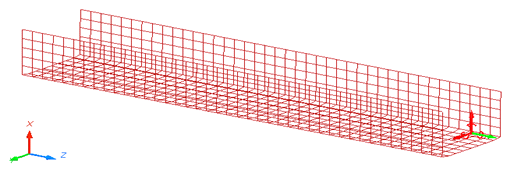
Figure 8.
Define Boundary Conditions Representing Symmetry
-
Select Add nodes by box selection icon to select the nodes in the modeling window, as shown below:
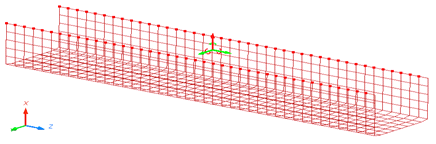
Figure 9.
Define the Imposed Velocity
-
Click Save and then click
Close.
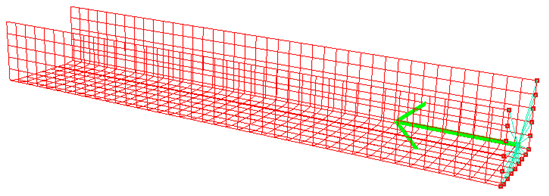
Figure 10.
Define a Rigid Wall
-
Click See to visualize it in the modeling window.
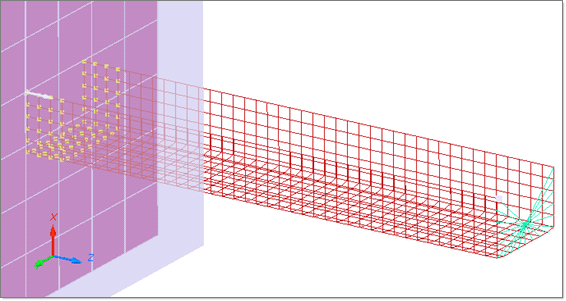
Figure 11.
Create a Self Contact for the Tube
-
Toggle Self impact.

Figure 12. -
Right-click in the modeling window, and select
Include picked parts icon and select the part in the modeling window.
Export the Model
-
Check Control Card to activate it.
Note: Make sure to save it before moving to the next Control Card.
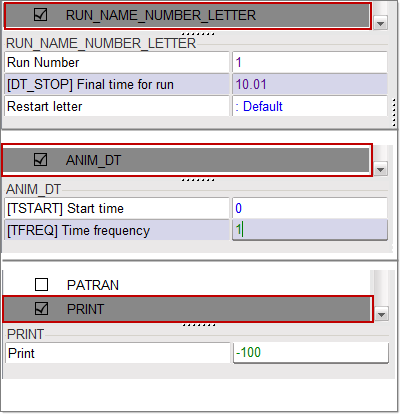
Figure 13.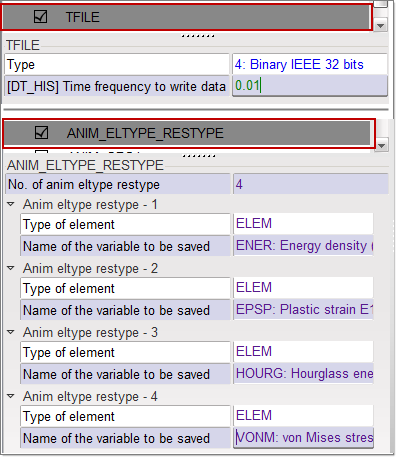
Figure 14.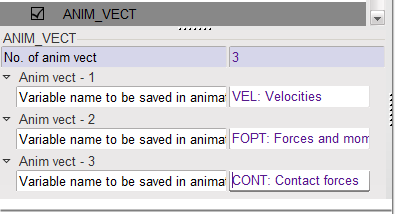
Figure 15.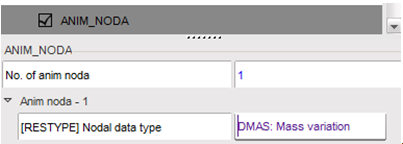
Figure 16.
Open Compute Console from the Windows Start Menu
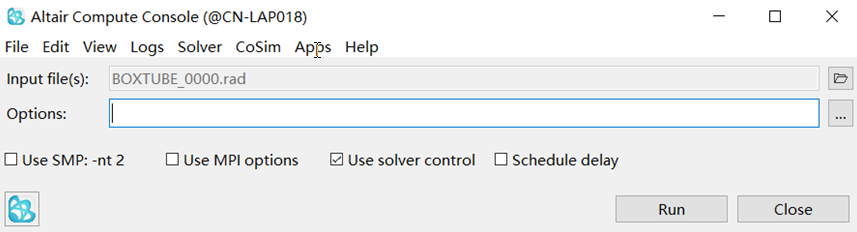
Figure 17.
Review the Results
Using HyperView, plot the displacement and strain
contour at 10 ms.
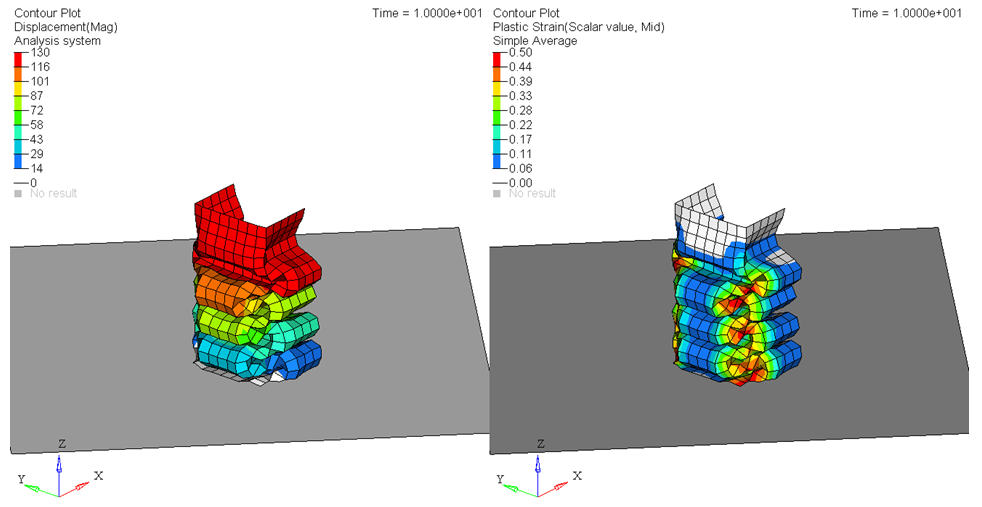
Figure 18.
Figure 18.