プリファレンスダイアログ
プリファレンスダイアログから、Composeのワークスペース、キーボードショートカット、ユーザーインターフェースツールなどのプリファレンス設定を調整できます。
ファイルメニューからプリファレンスをクリックしてダイアログを表示します。
Define a Preference Setting
-
From the File menu, click Preferences to display the
dialog.
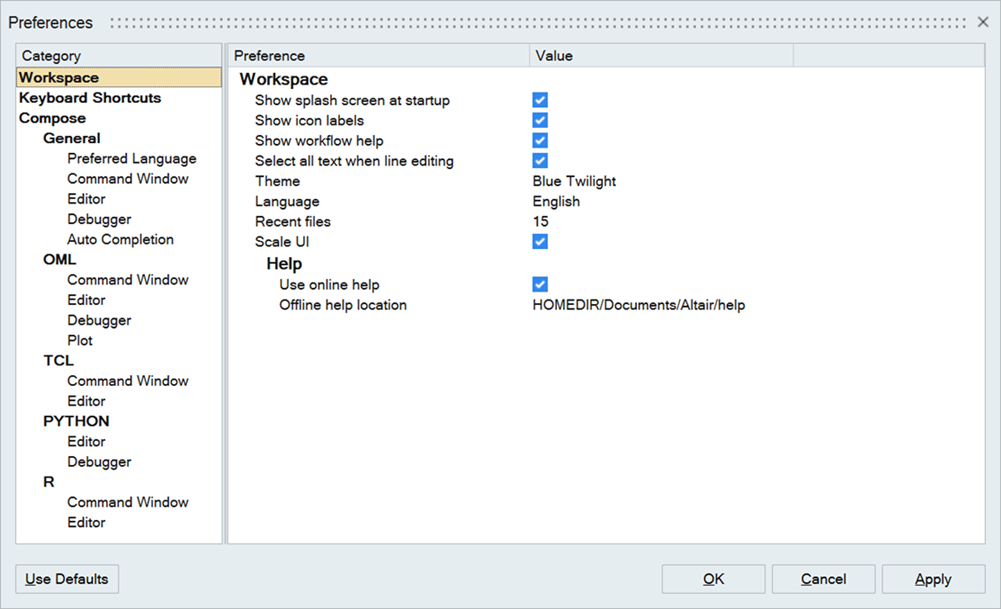
Figure 1. -
The following selection methods can be used to define a preference:
- To enable a preference setting, activate the check box:

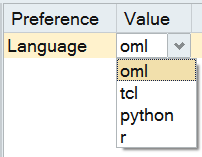
- Click on a value to display a drop-down menu:
- Click on a value to make a field editable and enter a new value:

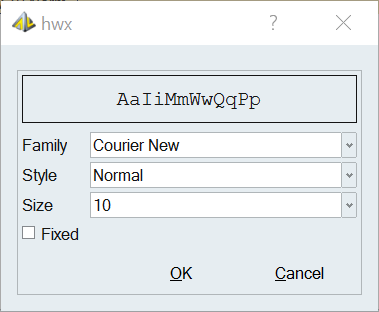
- Click on a value to display a dialog that contains additional
options:
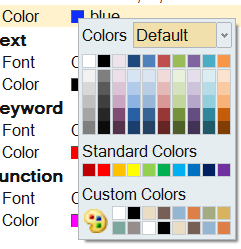
- Click on a color box to display the color palette:
- To enable a preference setting, activate the check box:
Keyboard Shortcuts
From the Preferences dialog, select Keyboard Shortcuts to view the default, editable shortcuts available in Compose.
The default keyboard shortcuts can be edited. Compose also
supports the following keyboard shortcuts that cannot be changed:
- Cycle through recent files
- Ctrl+Tab
- Indent block
- Tab
- Remove indent from block
- Shift+Tab
- Delete to start of word
- Ctrl+Backspace
- Delete to end of word
- Ctrl+Delete
- Delete to start of line
- Ctrl+Shift+Backspace
- Delete to end of line
- Ctrl+Shift+Delete
- Go to start of document
- Ctrl+Home
- Extend selection to start of document
- Ctrl+Shift+Home
- Go to start of display line
- Alt+Home
- Go to end of document
- Ctrl+End
- Extend selection to end of document
- Ctrl+Shift+End
- Go to end of display line
- Alt+End
- Line cut
- Ctrl+L
- Line copy
- Ctrl+Shift+T
- Line delete
- Ctrl+Shift+L
- Line transpose with previous
- Ctrl+T
- Selection duplicate
- Ctrl+D
- Previous word (Shift extends selection)
- Ctrl+Left
- Next word (Shift extends selection)
- Ctrl+Right
- Rectangular block selection
- Alt+Shift+Movement