


|
Creating JDBC Database Output Connector
Allows periodical dumping of records from a Kafka topic into a JDBC database.
Steps:
1. On the Data Source tab, select Output > JDBC in the Connector drop-down list.
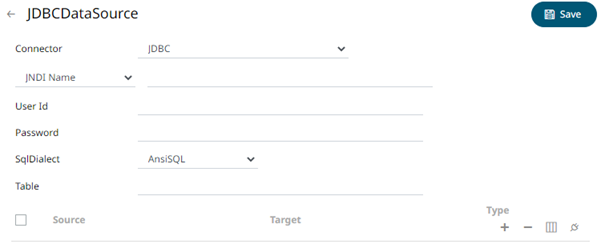
2. You can either select:
· JNDI Name
Enter the JNDI resource name to be used, then the User Id and Password.
|
NOTE |
The JNDI resource name needs to be on the form: java:/comp/env/jdbc/[resourcename]
|
· URL
Enter the URL specific to the database’s JDBC driver, the Driver Class Name specific to the driver, and the User Id and Password.
3. Select the appropriate SQL Dialect in the drop-down list to be able to generate the correct SQL for the required data repository.
You can select any of the following SQL dialects: AnsiSQL, Access/Excel, MySQL, Oracle, SQL Server, Sybase IQ/ASA, Sybase ASE, Netezza, Vertica, SQLite, HadoopHive, KxQ, DB2, PostgreSQL, Impala, Redshift, Informix, Teradata, dBase, SparkSQL.
4. Enter the source Table (can be parameterized).
5. In the Sources section, click
 .
A new source entry is added in the list.
.
A new source entry is added in the list.
6. Enter or select the following properties:
|
Property |
Description |
|
Source |
The column name of the source schema. |
|
Target |
The column name of the target schema. |
|
Type |
The data type of the column. Can be a Text, Numeric, or Time |
7. Repeat steps 5 and 6 to add more sources.
8. You can also click any of the following buttons:
|
Button |
Description |
|
|
Check the topmost |
|
|
Check the |
|
|
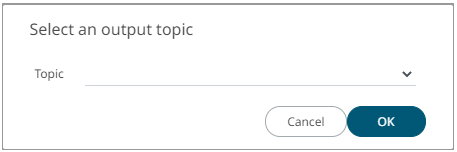
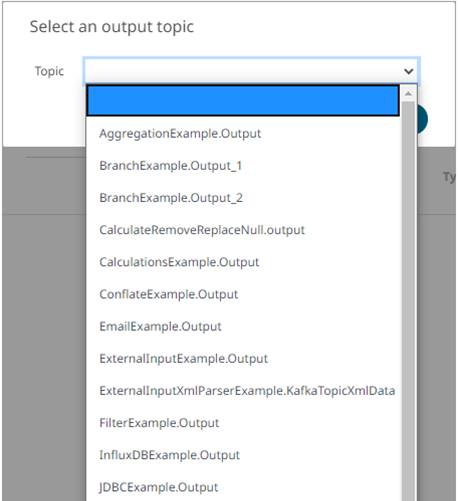
Allows you to select an output topic in the drop-down list.
Click
|
|
|
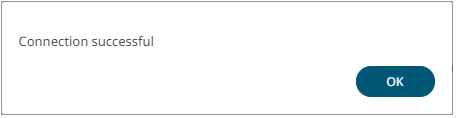
Tests if the connection to the output connector is successful. If successful, a confirmation message displays.
Click
Otherwise, an error prompt displays.
Click
|


 .
The schema of the selected output topic is displayed.
.
The schema of the selected output topic is displayed.
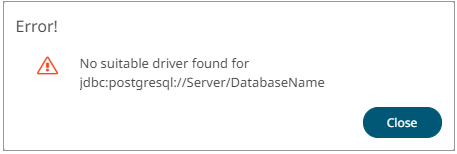
 and
fix the connection error.
and
fix the connection error.
9. Click  .
The new data source is added in the Data Sources list.
.
The new data source is added in the Data Sources list.