Valo
The Valo connector allows easy retrieval and processing of your data and analytics from Valo, a RESTful real-time analytics engine.
Using Valo
-
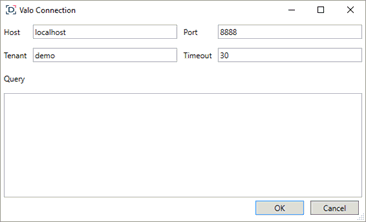
When creating a new data table, select Valo under the Database section in the Connect to Data dialog. The Valo Connection dialog is displayed.
-
Provide the following information to connect to the Valo server:
-
-
Host
-
Port
-
8888 is the default. If the port you wish to use is different from the default, change the value to the correct one.
This is used to generate the query to create a session.
-
-
Timeout (in seconds)
-
To wait for server response. 30 is the default.
Host, Port, and Tenant can be parameterized to allow dynamical data retrieval.
-
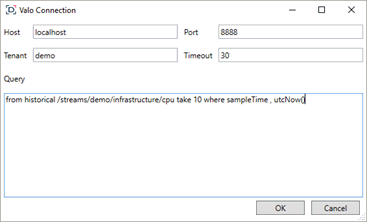
Enter the historic Query.
For example: historical /streams/demo/infrastructure/cpu take 10 where sampleTime < utcNow()
-
Click OK. The source table is returned in Data Prep, with the Valo Connection title, and the fields displayed in the Data Source Preview.