



|
Loading Saved Model Files
Now let’s load the same report with our new model file.
Steps:
1. Select File, click on the arrow
of the Open  menu, and then select Report.
2. Select Classic.prn from the dialog box that displays, and then click Open.
The Classic.prn report displays in the Report view.
3. Select File, click on the arrow
of the Open  menu, and then select Model.
4. From the dialog box that displays, select ClassicLesson1.dmod, and then click Open.
The Report view is updated to reflect the effects of the template.
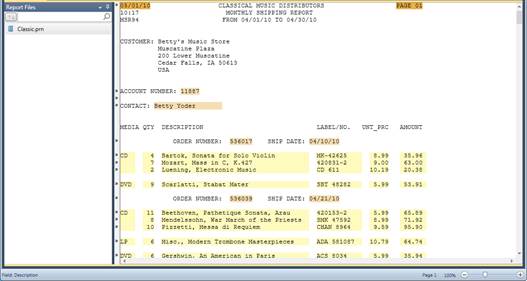
Figure 8-53. Loading the Classic.prn report and ClassicLesson1.dmod model file.
If you would like more information on Datawatch Server, simply click the following link: