



|
Saving Model Files to a Datawatch Server Library
Monarch now allows users to save and access models and projects from Datawatch Server via the Datawatch Server Library Browser. Note that this functionality is only available with Datawatch Server versions 12.5.1 and up.
To save a model, for example, to the Datawatch Server Library, select File > Save As > Model.
If you had previously configured a Datawatch Server Library in the Options interface and specified a prompt every time a model or project is to be saved, a dialog like that in Figure 8-48 displays.
Select Datawatch Server Library from this dialog to launch the Datawatch Server Library Browser.
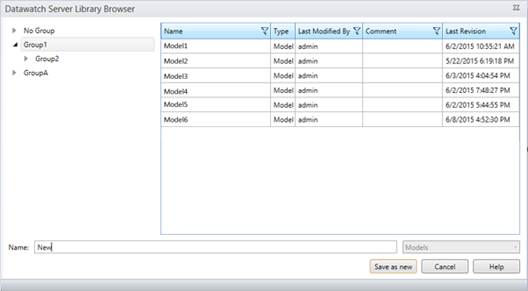
Figure 8-50. Saving a model to the Datawatch Server Library.
Enter a filename for the model you are saving into the name field and then click Save as new.
The model you have just saved is added to the Models list.
If you wish to simply replace a model that is already on the Models list, select the name of this model and then click Replace.
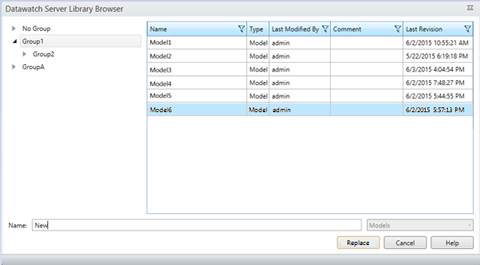
Figure 8-51. Replacing a model in the Models list.