


|
Activation Using Hosted Altair Units
Hosted Altair Units is a cloud-based license management system that enables greater flexibility with your Altair licenses. Integrated with Altair One, hosted units allow you to seamlessly access your Altair licenses with just an internet connection.
Steps:
-
Launch Google Chrome and then go to the Altair One Admin Portal at https://admin.altairone.com. Log in with your credentials.
-
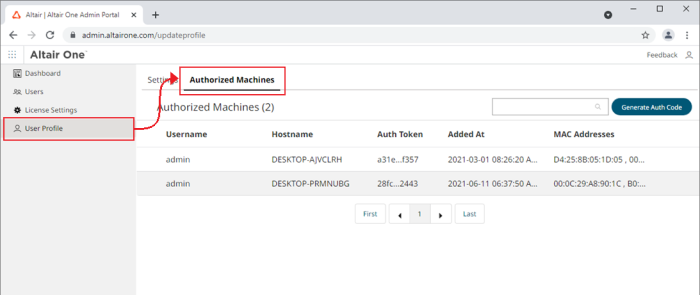
Once logged in to the portal, navigate to User Profile > Authorized Machines.
-
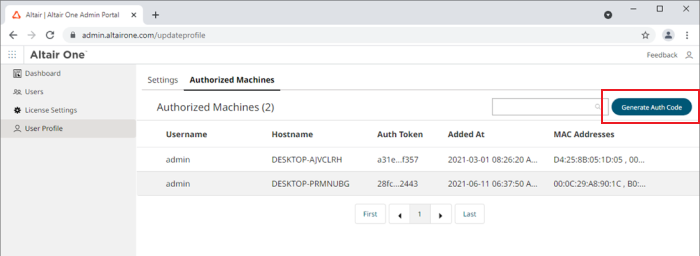
Click Generate Auth Code.
-
Launch the Altair Monarch License Manager.
-
Select the Connect to an Altair License Management System option in the Choose License Method screen and then click Next.
-
Click the Configure button in the Altair License Server Connection screen that displays.
-
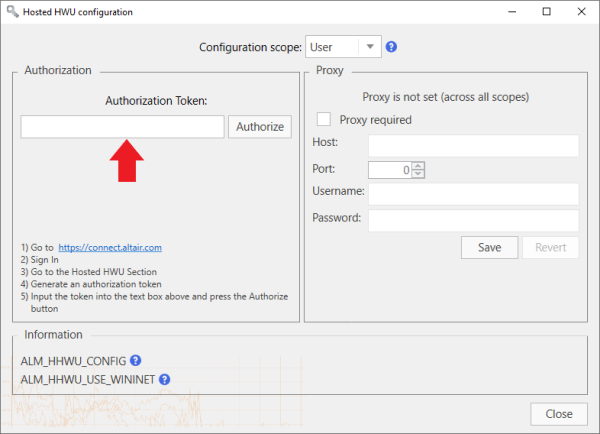
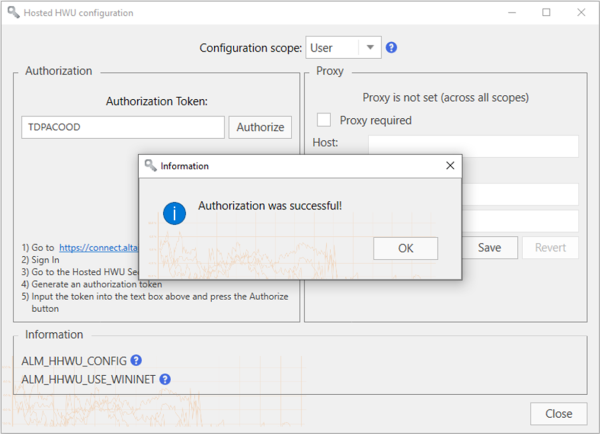
In the Hosted HWU Configuration screen that displays, enter the Authorization Code you received in Step 3 into the field provided and then click Authorize.
-
Click OK and then close the screen when you are finished.
-
Click Connect in the Altair License Server Connection screen.
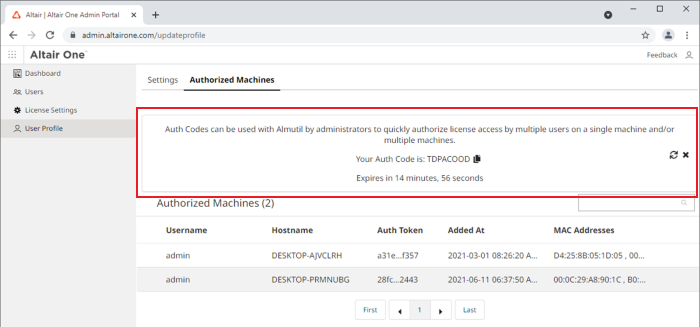
The page refreshes to display the authorization code and a countdown of time left for authorization.
If your machine is properly authorized, the following message displays.
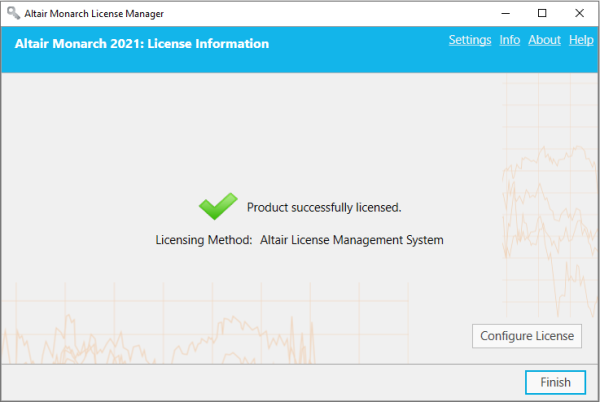
Monarch is successfully activated.