



|
Upgrading Monarch
You can upgrade to the next version of Monarch via one of two ways:
q Install the new version over the existing application
If you upgrade a previous Monarch version that was activated via an activation code or license key file, the upgraded version is automatically activated using this code or file.
q Uninstall the old version and then install the new application
When uninstalling a previous version of Monarch, the Uninstall Wizard displays the following dialog:
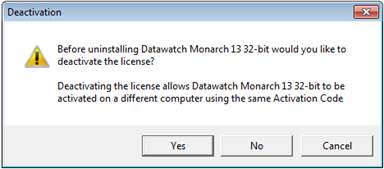
Select No to enable automatic activation when your Monarch is upgraded.