


|
Activating Monarch Using the License Manager
Steps:
1. If the Monarch License Server is not yet up, go to Start > All Programs > Altair Monarch 15 > Altair Monarch 15 License Manager.
The License Manager displays.
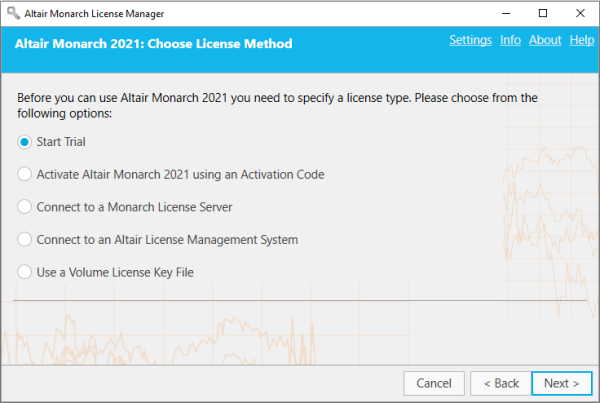
2. From the License Method screen, ensure that the Activate Altair Monarch using an Activation Code button is selected and then click Next. The Activate License screen displays.
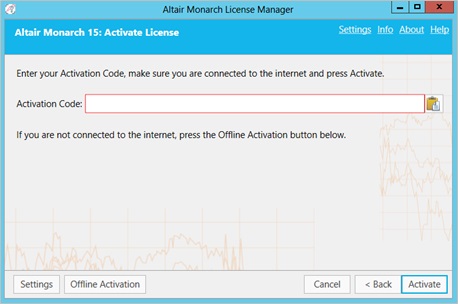
3. Manually enter the activation code provided to you and then click Activate.
Upon successful connection, the following screen displays.
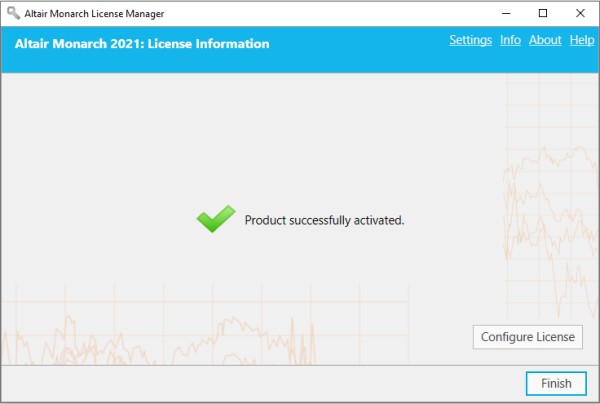
4. Select Finish when you are done.
You can choose to change the license method for your Monarch install by selecting the Change License Method button. Doing so returns you to the Choose License Method screen.
You may now run and use Monarch.