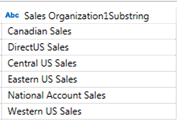
Extract Substring
Extracts n number of characters starting from a start and end positions indicated by a string of characters.
Extract Substring
-
You can either:
-
-
right-click on a Text field
-
click the drop down
 of a Text field
-
then select Substring... in the context menu that displays.
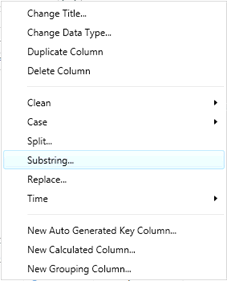
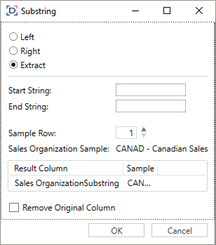
The Substring dialog displays.
-
Select Extract.
-
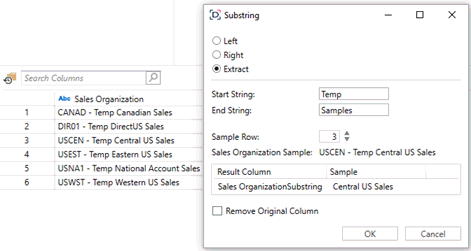
Enter the Start String.
-
Enter the End String.
-
Enter the value or click
 in Length to define the length of the extraction.
 -
Enter the value or click
in Sample Row to select the row number that a sample of the substring definition that will be displayed in the Result Column box below:
-
Check the Remove Original Column box to delete the original column and just display the new substring instead.
-
Click OK. The new substring values are displayed.